
Personalized Outbound Strategy
Get The Right Outbound Strategy In Minutes
Enter your email to get a custom plan & stack recommendation for your business
It's being carefully crafted by AI
Please check your mailbox in 5 minutes
If you're looking at Botdog, the first thing you should know is that it's not trying to be a complete outbound platform. Botdog is built for LinkedIn automation. It helps you send connection requests, automate follow-ups, manage conversations, and run LinkedIn outreach campaigns without doing everything manually.
And for LinkedIn-first outreach, it does a good job. The question is whether that's enough for your sales process. Today, most outbound teams rely on more than LinkedIn. They also need prospect data, email outreach, deliverability management, CRM workflows, reporting, and follow-up across multiple channels.
Botdog doesn't try to solve those problems. Its focus is making LinkedIn outreach easier and more consistent.
In this review, I'll break down what Botdog does well, where it falls short, how much it costs, and which alternatives are worth considering before you buy.
Botdog is worth considering if your outreach motion is LinkedIn-only and you want a simple way to run connection requests, follow-ups, imports, inbox work, and team/client accounts without building a full outbound stack.
It is not the best fit if you need cold email, deliverability controls, mailbox rotation, email warmup, or one sequence that combines email and LinkedIn. For those cases, I would compare it against Salesforge before committing.
My rating: 7.4/10
Best for: Solo operators, founders, small SDR teams, and agencies running LinkedIn-first outreach.
Not for: Teams whose KPI is pipeline across email and LinkedIn.
Main risk: Botdog can make LinkedIn activity easier while hiding the extra stack you still need for complete outbound.
Use Botdog if:
Do not use Botdog as your main system if:
The fair comparison is simple. Botdog wins when LinkedIn is the job. Salesforge wins when LinkedIn is only one touchpoint in a larger outbound system.
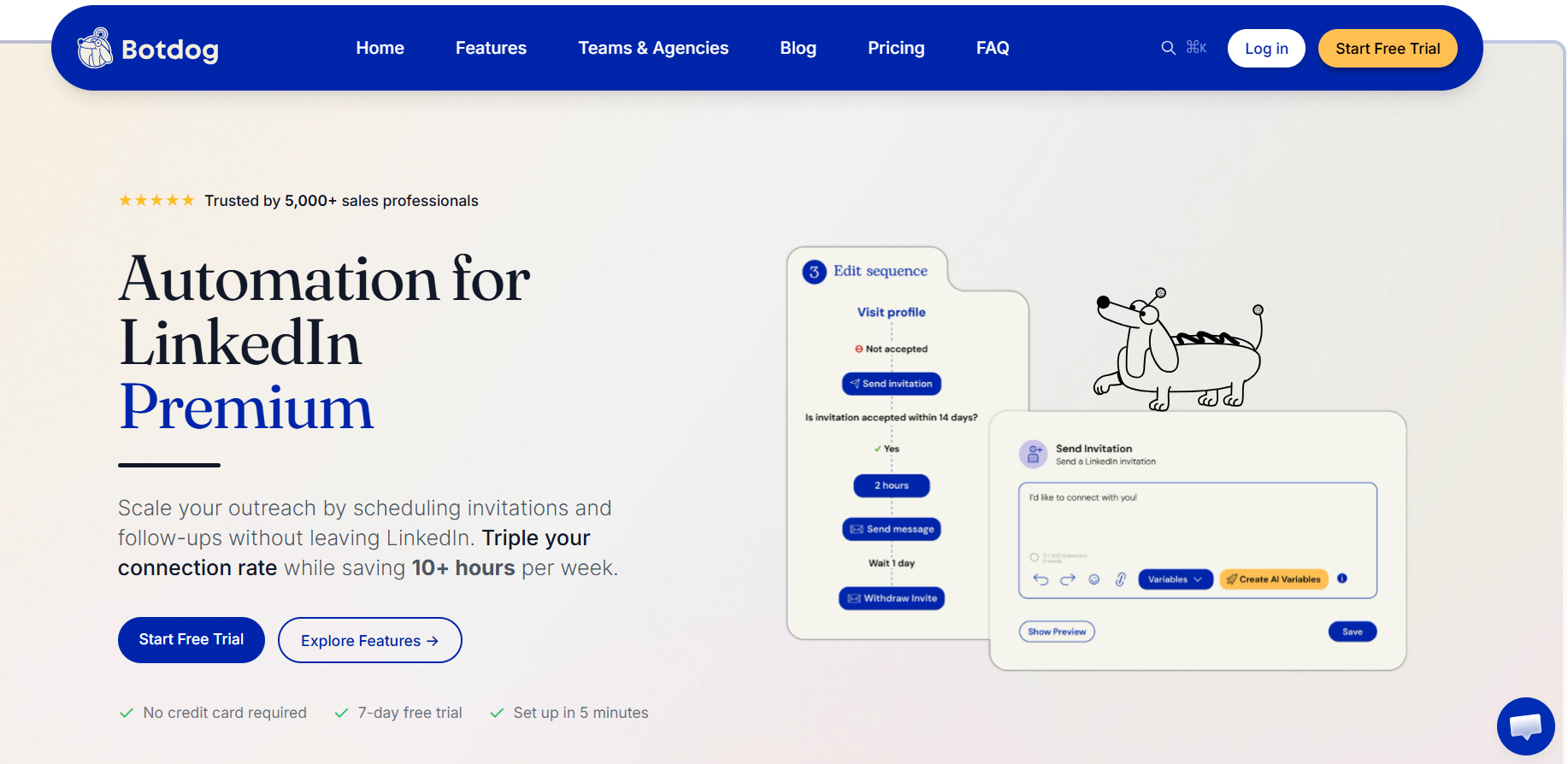
Botdog is a cloud-based LinkedIn automation tool that helps you automate connection requests, follow-up messages, LinkedIn sequences, and reply management from a single dashboard. The platform is built specifically for LinkedIn outreach.
You can import prospects from Apollo or Sales Navigator, create automated sequences, personalize messages with AI variables, manage conversations, and sync activity with CRM and workflow tools.
Botdog also supports teams and agencies. Multiple LinkedIn accounts can be managed from one workspace, making it easier to handle client accounts, collaborate on conversations, and monitor outreach activity without sharing LinkedIn credentials.
In short, Botdog is designed to make LinkedIn outreach more efficient and consistent. However, it is not a cold email platform, mailbox warmup tool, CRM, sales intelligence database, or complete sales engagement platform. If your outreach strategy depends on email as well as LinkedIn, you'll likely need additional tools alongside Botdog.
After looking through Botdog's feature set, what stood out to me wasn't flashy AI or complicated automation. The real value comes from making LinkedIn outreach easier to run consistently.
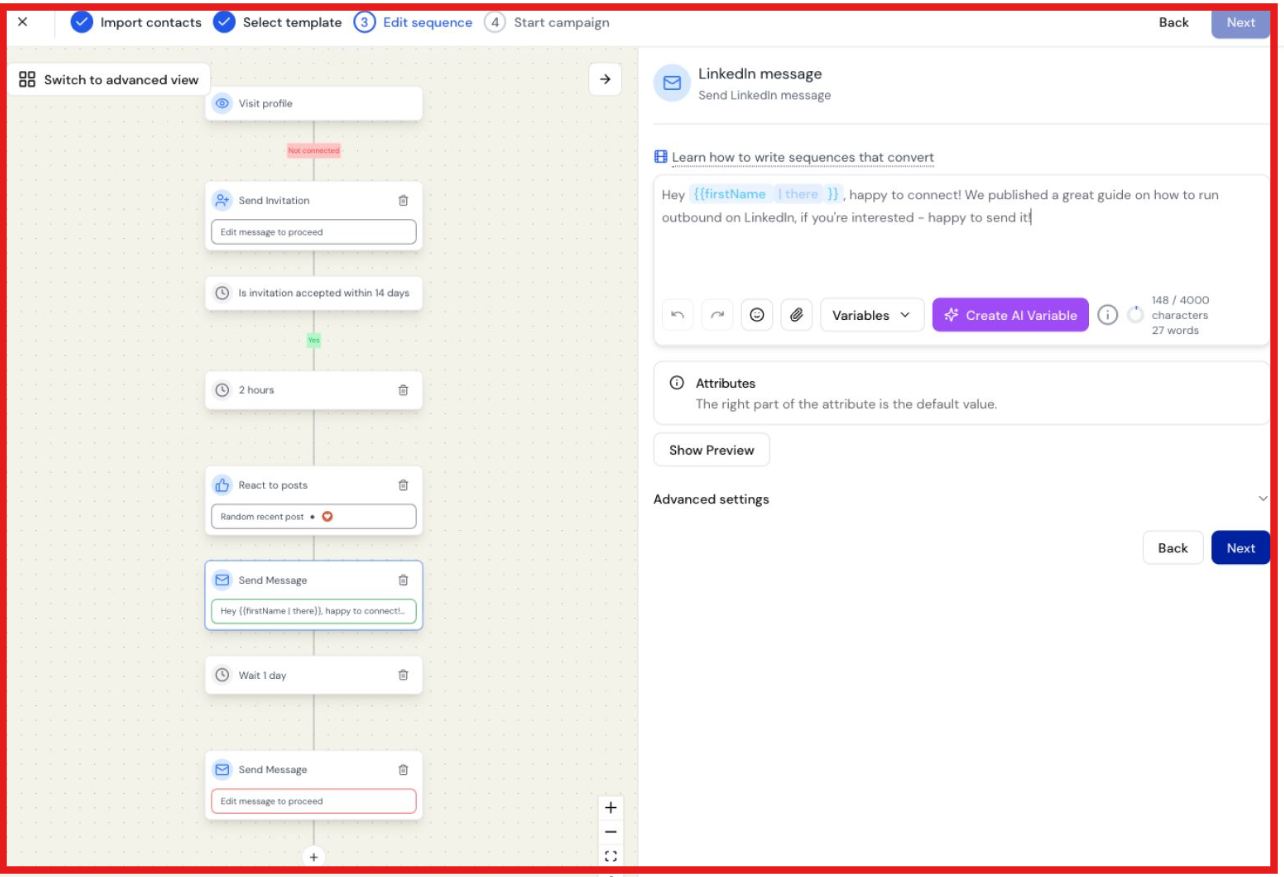
This is the core reason most people buy Botdog. You can automate connection requests, follow-up messages, and basic LinkedIn sequences without manually checking profiles all day. Even the Starter plan includes unlimited connection requests, unlimited messages, voice notes, and sequence automation.
For founders, consultants, and small SDR teams, this can save a significant amount of time. Instead of manually sending messages every day, you build the campaign once and let Botdog handle the execution. The way I look at it, Botdog is less of an automation tool and more of a consistency tool.
It helps ensure outreach happens every day without requiring constant manual work.
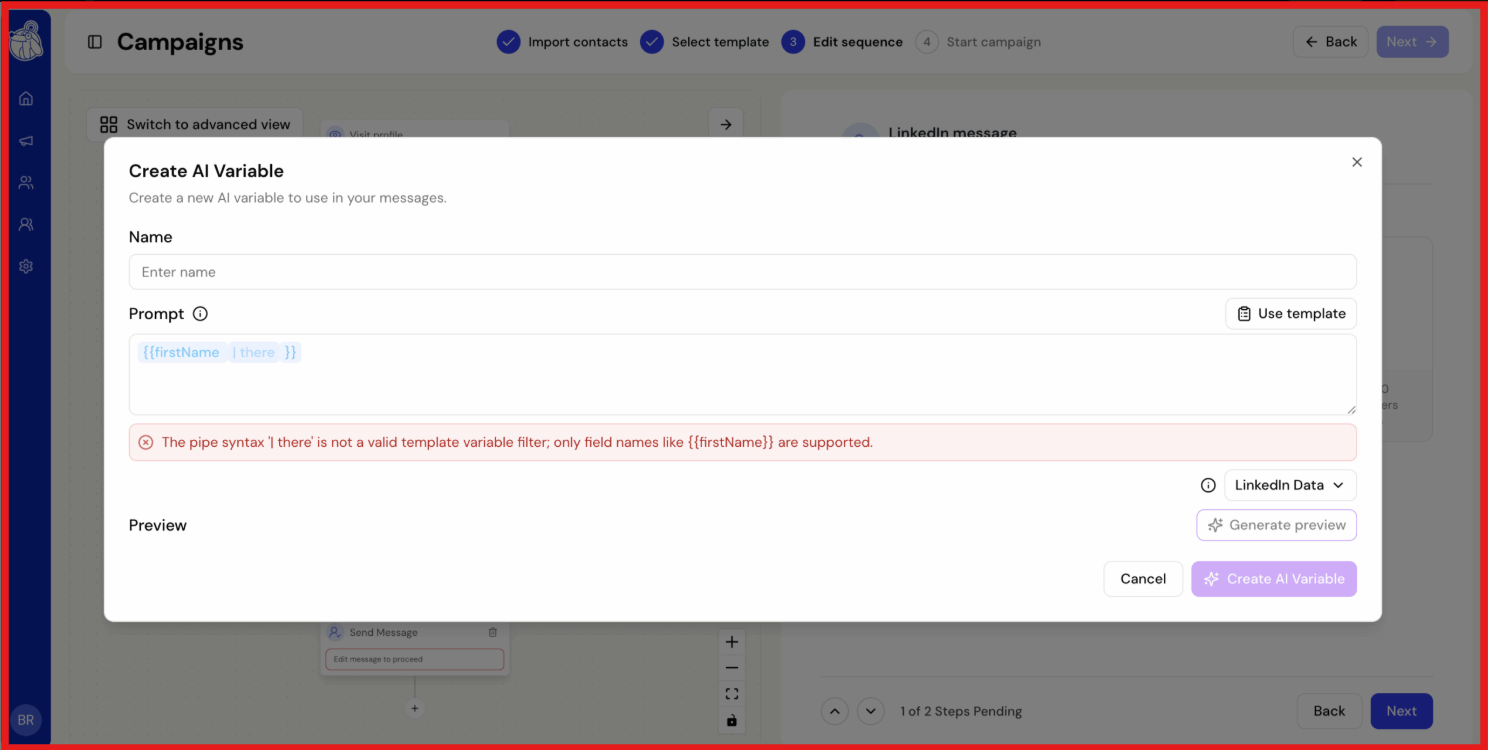
Botdog also includes AI variables and AI lead review features. The AI variables can generate personalized opening lines using profile information, while AI lead review helps filter imported prospects before they enter a campaign.
I found the lead review feature more useful than the personalization itself. If you're importing hundreds of prospects from Apollo or Sales Navigator, filtering out poor-fit contacts before sending connection requests can save a lot of wasted activity. That said, no AI feature can fix a weak ICP. If your targeting is poor, your campaign results will still be poor.
One thing I like about Botdog is the number of ways you can build a prospect list. You can import prospects through CSV files, Apollo exports, Sales Navigator searches, LinkedIn searches, event attendees, post commenters, and post reactions.
This gives you more options than simply uploading a spreadsheet. In my experience, lists built from engagement signals like event attendees or post interactions often perform better than generic prospect databases.
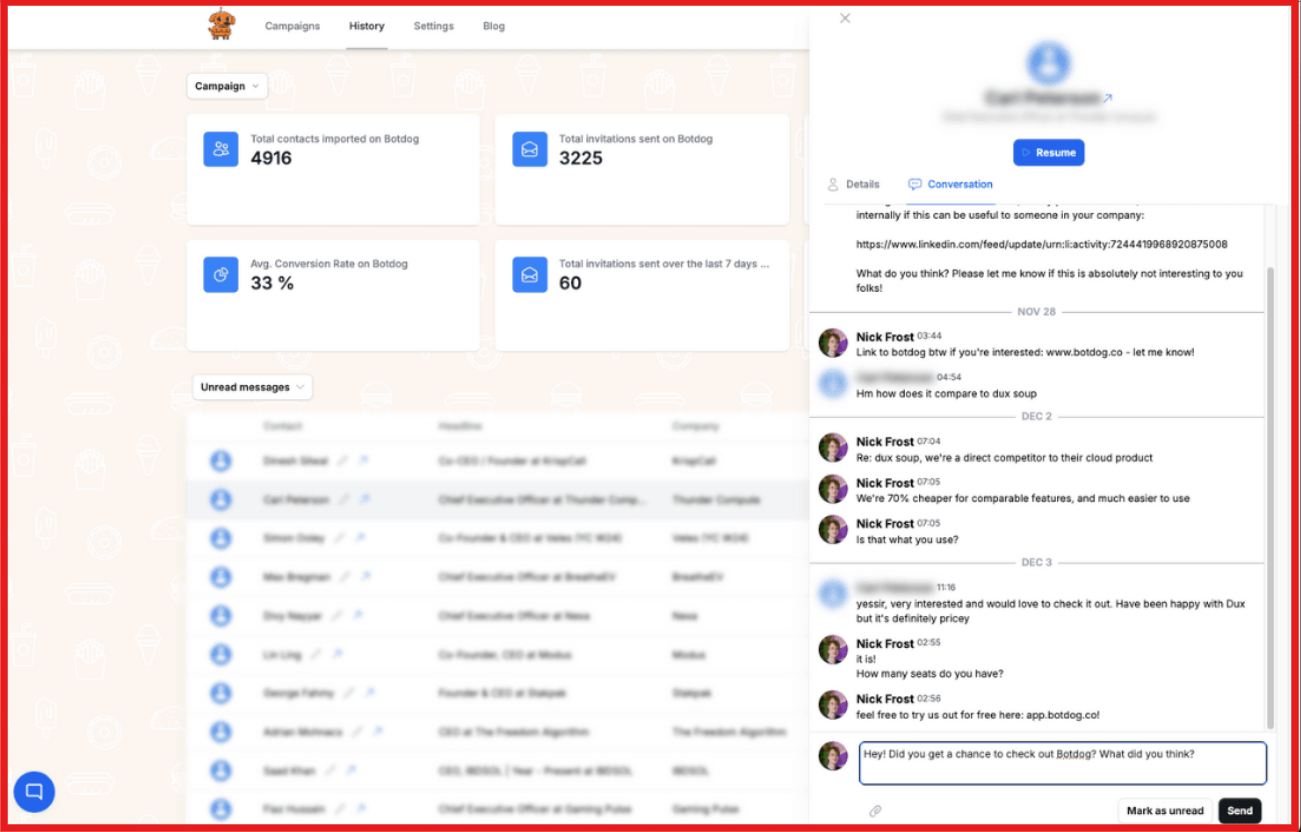
Botdog also includes features that make day-to-day campaign management easier. The unified inbox, snippets, blacklists, campaign scheduling, and team inbox functionality help keep outreach organized as campaigns grow.
For agencies and teams managing multiple LinkedIn accounts, these features become surprisingly important. They reduce the need to jump between accounts and make it easier to track conversations from one place.
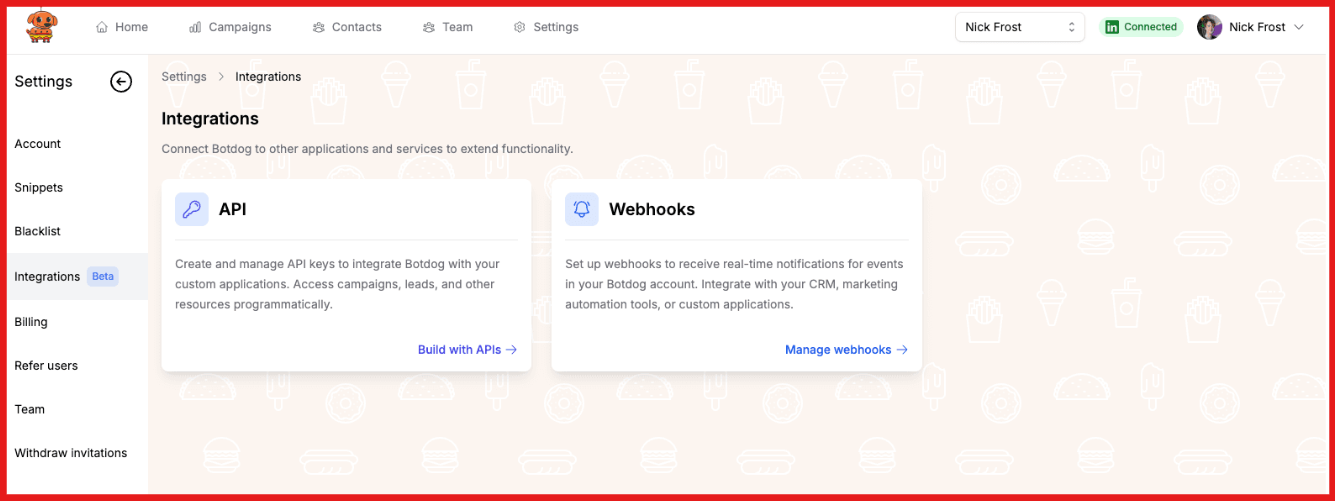
Botdog supports API access, webhooks, Zapier, HubSpot, Attio, and other CRM integrations. For most LinkedIn-focused workflows, these integrations are enough to move data between tools and keep records updated.
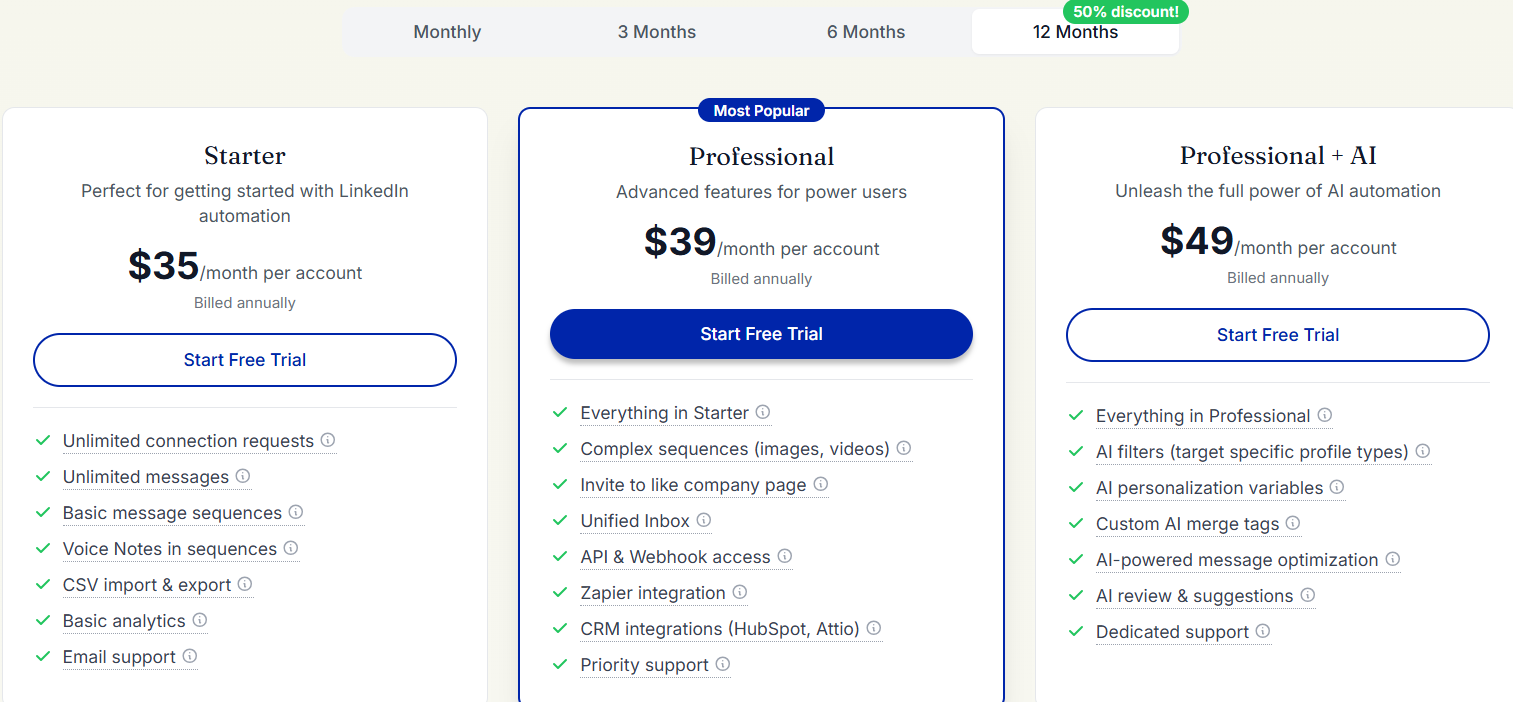
Botdog starts at $35 per account per month for the Starter plan, $39 per account per month for Professional, and $49 per account per month for Professional + AI when billed annually.
The Starter plan covers most of what individual users need, including LinkedIn sequences, connection requests, follow-up messages, voice notes, CSV imports and exports, and basic analytics. Professional is the plan I'd look at if integrations matter. It adds advanced sequences, API access, webhooks, Zapier, HubSpot, Attio, and priority support.
Professional + AI adds AI variables, AI filters, AI lead review, custom AI merge tags, and dedicated support. Botdog also offers a 7-day free trial with no credit card required.
My biggest takeaway is that Botdog itself is not particularly expensive. The real cost depends on the rest of your stack. Many teams will also need LinkedIn Premium or Sales Navigator, a CRM, and separate tools for email outreach.
If LinkedIn is your primary outbound channel, the pricing is fairly simple. If you're running a multichannel outbound motion, Botdog is only one piece of the overall cost.
Botdog currently holds a 4.9/5 rating on G2 based on 60+ reviews, which is impressive for a LinkedIn automation tool.
The biggest theme across user reviews is simplicity. Many users describe Botdog as easy to set up, easy to use, and effective at automating LinkedIn outreach without a steep learning curve.

Reviewers also frequently mention time savings, responsive customer support, and the ability to launch campaigns within minutes. Another common point is that Botdog stays focused on its core job. Users like that it helps automate connection requests, follow-ups, and LinkedIn workflows without adding unnecessary complexity.

The most common complaints are relatively minor. Some users mention navigation issues, occasional bugs, and limitations around integrations with other tools. Others would like more advanced customization options as their outreach needs grow.

Overall, the feedback is very positive. Most users seem to value Botdog for being a straightforward LinkedIn automation tool that does what it promises without becoming difficult to manage.
One thing I always look at with LinkedIn automation tools is how aggressively they encourage activity. In Botdog's case, I think the platform takes a fairly sensible approach. Botdog uses activity limits and delays between actions, and it recommends staying within 100–200 connection requests per week rather than pushing high-volume outreach.
That said, no LinkedIn automation tool is completely risk-free. Botdog can help automate connection requests, follow-ups, and inbox management, but it cannot protect you from poor outreach decisions. A weak LinkedIn profile, bad targeting, or overly salesy messages can still hurt campaign performance regardless of the tool you use.
My recommendation is to start with a narrow ICP, keep activity levels reasonable, and focus on acceptance rates, replies, and booked meetings before increasing volume. Overall, I think Botdog is one of the more cautious LinkedIn automation tools available today. Just don't mistake automation controls for a guarantee of safety.
From what I found, Botdog is best suited for people who rely heavily on LinkedIn for outbound and want to spend less time doing repetitive outreach tasks manually.
It's a good fit for founders, consultants, agencies managing client LinkedIn accounts, small SDR teams, and anyone using Sales Navigator to build prospect lists and start conversations at scale.
On the other hand, Botdog is probably not the right choice if your outreach strategy depends on both email and LinkedIn. It doesn't provide mailbox warmup, email infrastructure, mailbox rotation, deliverability management, or multichannel sequences. Teams looking for a complete outbound platform will likely need additional tools.
Botdog is a solid choice for LinkedIn automation, but it won't be the right fit for every team. The best alternative depends on what you're trying to improve in your outbound process.
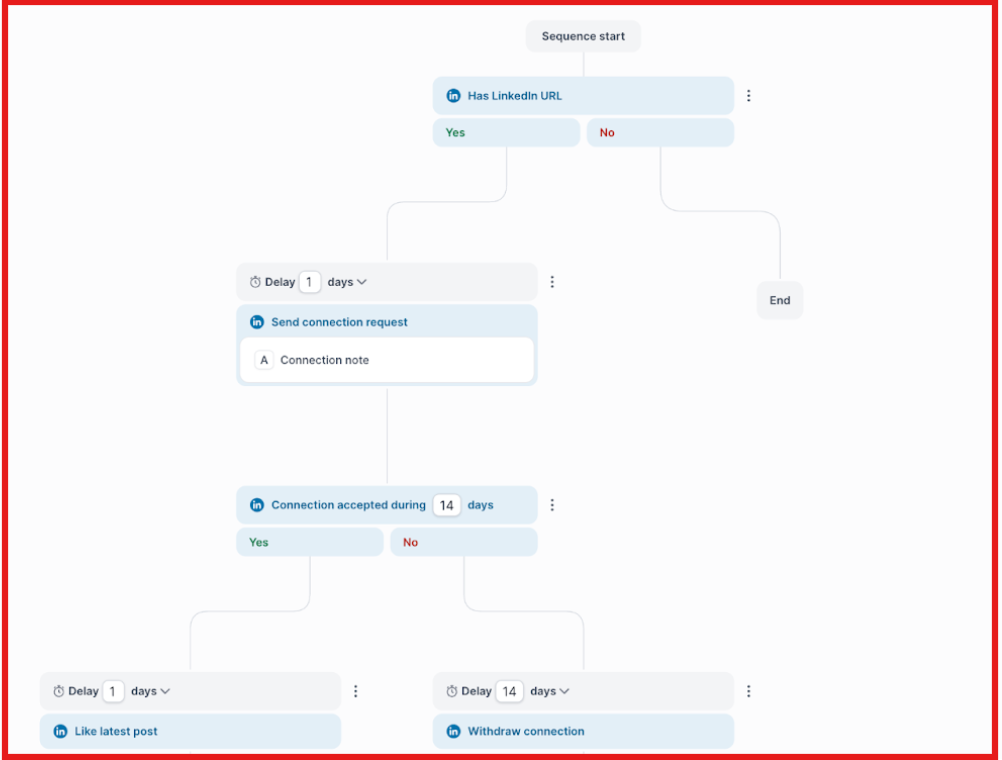
I would look at Salesforge if LinkedIn is only one part of your outbound strategy. Unlike Botdog, Salesforge combines cold email and LinkedIn outreach in the same platform. It also includes mailbox warmup, mailbox rotation, email infrastructure management, and multichannel sequences.
If your team wants to run email and LinkedIn together instead of managing separate tools, Salesforge is the stronger option.
Dripify is one of the closest alternatives to Botdog. Both platforms focus on LinkedIn automation, including connection requests, follow-ups, and outreach campaigns. If you're comparing dedicated LinkedIn outreach tools, Dripify should be on your shortlist.
Linked Helper is a good option for users who want more control over their LinkedIn automation workflows. It offers campaign automation, messaging sequences, prospect management, and lead generation features. Linked Helper is another popular LinkedIn automation platform that offers campaign automation, messaging workflows, and prospect management features.
HubSpot is a better fit if your main challenge is managing leads, deals, and customer relationships. While it supports sales and marketing workflows, it is fundamentally a CRM platform rather than a LinkedIn automation tool. If pipeline management is the priority, HubSpot is the more relevant solution.
ZoomInfo is worth considering if your biggest challenge is finding and enriching prospect data. Its strength is company intelligence, contact data, enrichment, and buying signals. It is not a direct Botdog replacement, but it can help teams build better prospect lists before outreach begins.
Enter your email to get a custom plan & stack recommendation for your business
Please check your mailbox in 5 minutes

Botdog is a solid LinkedIn automation tool for anyone looking to simplify connection requests, follow-ups, and inbox management. It is especially useful for founders, solo operators, agencies, and small SDR teams that focus primarily on LinkedIn outreach.
However, if your outbound strategy relies on both email and LinkedIn, Botdog alone will not cover everything. You will need additional tools to handle email outreach, deliverability, and multichannel workflows.
For teams that want to manage email and LinkedIn outreach in one system, Salesforge is a smart coice. It combines cold email, LinkedIn sequences, mailbox management, warmup, and multichannel tracking in a single platform, making it easier to run campaigns without juggling multiple tools.
In short, use Botdog if LinkedIn is your main channel and you want a simple, reliable automation tool. If your goal is broader outbound automation across channels, Salesforge is the platform to consider.
Check out Salesforge today and manage your LinkedIn and email campaigns together effortlessly.
.jpg)

.jpg)

.jpg)
